
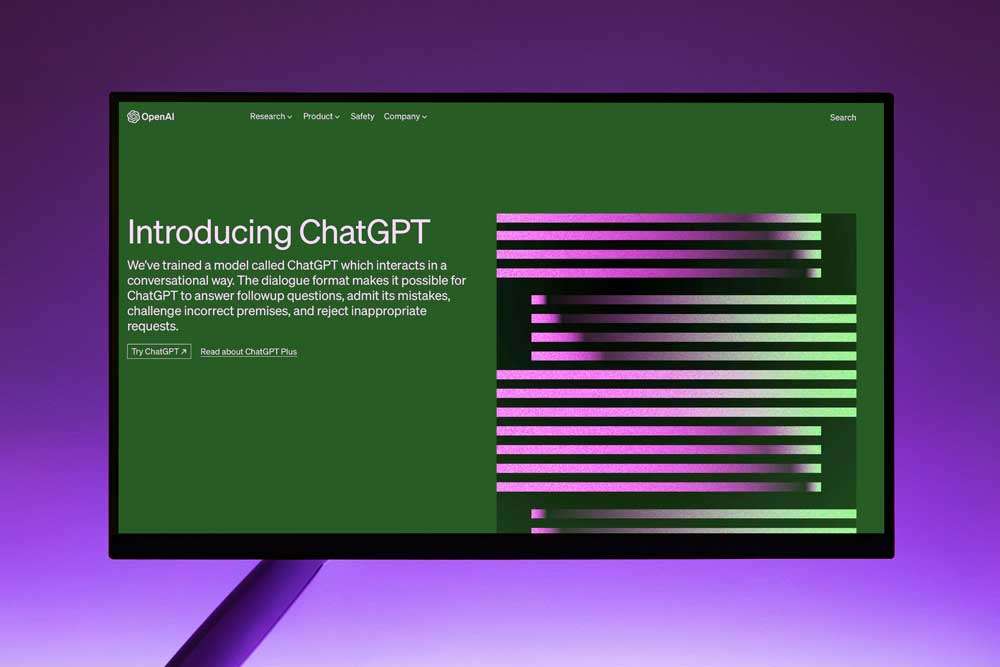
OpenAI has rolled out a massive wave of updates to ChatGPT across its latest model generations (including the GPT-5 lineup, such as GPT-5.5 Instant and GPT-5.4 Thinking). The biggest shift is the transition of ChatGPT from a standard conversational chatbot into an autonomous AI superapp and agent ecosystem.
The key upgrades span interface design, persistent context, coding capabilities, and agentic workflows:
1. The Autonomous “Agent Shift” & Workspace Features
-
The Move Toward Agents: OpenAI has re-engineered ChatGPT’s interface to focus heavily on autonomous agents that can perform multi-step tasks (like managing schedules or booking travel) rather than just replying to prompts.
-
Persistent File Library: Instead of pasting large blocks of text or uploading files repeatedly, users can save documents directly to a persistent “File Library” to maintain ongoing context across multiple completely separate chat sessions.
-
Full-Screen Writing Blocks: For long-form tasks (essays, reports, PRDs, code), ChatGPT now opens a dedicated, focused full-screen editor featuring wider document layouts, automatic tables of contents, and a clean workspace. This natively replaces the older “Canvas” interface.
-
Native Integrations: Plus and Pro tiers can directly connect ChatGPT to Google Calendar and Gmail to review schedules, find open time slots, and draft email responses natively.
2. Major Upgrades to Memory & Personalization
-
Dynamic “Dreaming” Memory Architecture: OpenAI upgraded its memory framework using a background process called “dreaming.” Instead of just holding onto static text, the memory dynamically synthesizes facts across months of interactions, adapting as real-world situations change.
-
Memory Management Dashboard: A new memory summary page gives users granular control to see exactly what key details the AI has learned over time, allowing them to explicitly add, modify, or remove saved contexts.
-
Default Personality Customization: Users can fine-tune ChatGPT’s core personality characteristics—adjusting sliders for attributes like warmth, base tone, and emoji usage directly in the Personalization settings.
3. Advanced Research & Analytics Tools
-
Interactive Charts: ChatGPT can dynamically convert tabular data, trends, and comparisons into rich, interactive bar, line, pie, and scatter charts directly inside the chat window.
-
Deep Research: A powerful tool designed for hyper-specific, multi-layered queries. It searches comprehensively across web sources, synthesizes data, and outputs highly structured, multi-page reports with complete citations.
-
Lockdown Mode: A major new security feature built for enterprise and sensitive data handling. It combats prompt-injection attacks by strictly limiting outbound network requests, restricting live browsing to cached content, and disabling file downloads for data analysis to prevent data exfiltration.
4. Significant Technical & Developer Upgrades
-
Frontend Design Mastery: The latest core models are highly optimized for frontend development tasks, generating significantly cleaner interfaces with automatically improved typography, spacing, and modern default layouts.
-
Plain Text Custom Tools: Developers can now instruct ChatGPT to execute custom tools using strict plain text formatting and custom grammar/regex rules rather than relying heavily on complex JSON formatting.
-
API Control Parameters: OpenAI introduced the
reasonings_effortparameter (allowing developers to toggle between “minimal” for fast responses or high effort for deep thinking) alongside a nativeverbosityparameter to strictly regulate response lengths.
5. Smarter “Safe Completions”
-
Supportive Guardrails: Instead of flatly refusing potentially sensitive or complex prompts (such as edge-case safety queries), ChatGPT utilizes a “safe completions” framework. It works to de-escalate, avoid unnecessary dead ends or rigid caveats, and steer the user toward helpful, real-world resources using grounded and supportive language.
If you’re a small business owner, you’re probably wearing a lot of hats—and that includes marketing. Sometimes, it can feel like a full-time job just coming up with new ideas and writing content.
That’s where a tool like ChatGPT comes in. Think of it less as a robot and more like a super-smart, creative intern that you can talk to. It’s a powerful tool that can help you with a huge range of tasks, but the key is knowing how to ask the right questions. This guide will walk you through how to use it to save time, spark new ideas, and create great content.
Part 1: How to Talk to the “Intern” (The Art of the Prompt)
The most important thing to remember is this: you get out what you put in. To get the best results from ChatGPT, you need to give it a good prompt.
A good prompt is like a good set of instructions. It should include:
A Persona: Tell ChatGPT to “act as” someone. For example, “Act as a social media manager for a local bakery,” or “Act as a content creator for a pet supply store.”
A Goal: What do you want to accomplish? “Write 5 social media posts,” or “Generate blog post ideas.”
Key Details: The more context you provide, the better. Mention your business name, your target audience, the tone you want (e.g., “friendly and casual” or “professional and informative”), and any specific keywords.
Think of it like this:
Bad Prompt: Write a social media post.
Good Prompt: Act as a social media manager for “The Cozy Corner Cafe.” Write three engaging Instagram captions to promote our new pumpkin spice latte. The tone should be warm and inviting, and you should use relevant hashtags.
See the difference? The second one gives ChatGPT all the information it needs to give you something you can actually use.
Part 2: Hands-On Examples for Your Business
Here are some specific ways you can use ChatGPT for your digital marketing right away.
1. Content and Blog Ideas
Stuck on what to write about? ChatGPT is a fantastic brainstorming partner.
Prompt: Act as a content strategist for an online plant shop. Generate 10 blog post titles that would appeal to beginner gardeners. Include a mix of “how-to” guides and creative inspiration.
Example Output:
The Top 5 Easiest Houseplants to Keep Alive (Even If You Don’t Have a Green Thumb)
How to Repot Your Plant Without Freaking Out
A Beginner’s Guide to Watering: When, Why, and How Much?
2. Social Media Posts
This is one of the most popular uses for ChatGPT. It can write short, engaging posts for different platforms.
Prompt: Act as the owner of “Pawsitive Pet Services.” Write a short and sweet Facebook post announcing our new dog-walking service. It should include an emoji and a clear call to action to visit our website.
Example Output:
Need someone to give your pup a midday walk? Our new dog-walking service is here! Let us give your furry friend the exercise and attention they deserve. Learn more and book a walk on our website! [https://www.google.com/search?q=YourWebsite.com]
3. Email Marketing
Creating a newsletter or a promotional email can be a big time-sink. Let ChatGPT handle the first draft.
Prompt: You are an email marketer for a local fitness studio, “Fit Fusion.” Draft a subject line and the body of an email to send to our members. The email should announce a new “Summer Shred” challenge starting next month and encourage them to sign up early.
Example Output:
Subject: Ready to get shredded? Our Summer Challenge is here!
Body: Hey [Member Name], summer is just around the corner, and we’re launching something new to help you get your fitness goals on track! Our new “Summer Shred” challenge is all about building strength, boosting your energy, and feeling amazing. Spots are limited, so click here to learn more and sign up today!
4. SEO and Website Copy
Need to optimize your website? ChatGPT can help with everything from product descriptions to meta descriptions.
Prompt: Write a product description for an organic, handmade soap called “Lavender Bliss.” The description should be for an e-commerce website, highlight that it’s good for sensitive skin, and include keywords like “organic,” “natural,” and “essential oil.”
Part 3: The Golden Rule: Edit, Edit, Edit
This is the most important part. ChatGPT is a tool, not a replacement for your own brain. Its output is a starting point.
Add Your Voice: Make it sound like you! Infuse it with your brand’s unique personality and tone.
Fact-Check: AI can sometimes “hallucinate” or provide incorrect information. Always double-check any facts, statistics, or details before you publish.
Think Like a Human: Does the content make sense? Is it genuinely helpful and engaging? Does it build a real connection with your audience? Always give it a final human touch.